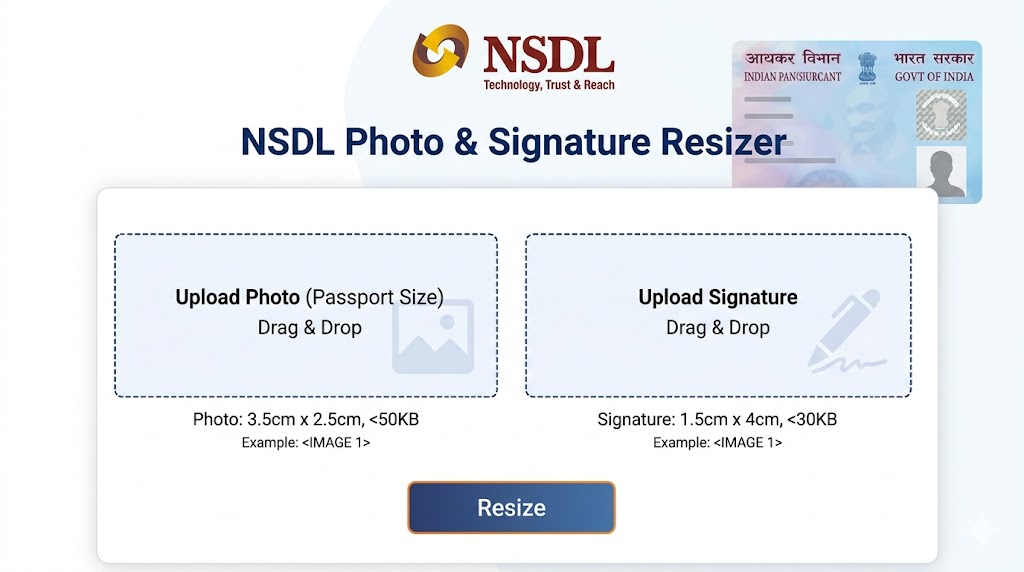
NSDL Photo & Signature Resizer
Official Resizer for NSDL PAN Card Applications.
Click or Drag Image to Resize
Private & Secure (Processed in Browser)
Explore Other Tools
NSDL Photo & Signature Resizer
In the journey of financial inclusion in India, the Permanent Account Number (PAN) card is an indispensable document. Managed by Protean (formerly NSDL e-Gov), the application process for a new PAN card or a correction in an existing one is now primarily digital. However, the most significant hurdle applicants face is the technical rejection of documents. The NSDL Photo Resize requirement is strict—failing to hit the exact dimensions or KB limit can lead to repeated errors on the portal.
Our NSDL Photo Resizer is an authoritative tool designed to streamline this process. It ensures your photos and signatures meet the exact 3.5 cm x 2.5 cm and 50 KB standards, helping you get your PAN card without technical delays.
NSDL Document Specifications
To ensure your application is processed successfully, you must strictly follow these parameters mentioned by Protean:
1. Photograph Specifications
A clear, recent photograph is mandatory for the physical PAN card printing.
- Dimensions: 3.5 cm (Width) x 2.5 cm (Height).
- File Size: Maximum 50 KB.
- Format: JPEG/JPG Only.
- Resolution: 200 DPI (Dots Per Inch) is recommended for clarity.
- Appearance: The face should cover 80% of the frame with a light-colored (preferably white) background.
2. Signature Specifications
- Dimensions: 4.5 cm (Width) x 2.0 cm (Height) is the standard area, but digital pixels are usually around 400×200.
- File Size: Maximum 50 KB.
- Format: JPEG/JPG.
- Instruction: Sign on clean white paper using a Black ink pen for the best contrast.
Why Proper Resizing is Crucial for PAN Applications
The NSDL portal uses automated image processing to extract your face and signature for printing on the physical card. If your uploaded photo is stretched or has a colored background, the machine might fail to “read” your features correctly. This can lead to a “Deficiency” in your application, requiring you to resubmit documents, which can delay your PAN card by weeks.
Our NSDL Image Resizer uses a “Proportional Scaling” algorithm. Unlike standard editors that might distort your face to fit a specific pixel box, our tool maintains the natural aspect ratio of your photo while hitting the exact KB count required.
Common Errors to Avoid in NSDL PAN Applications
As experts in document optimization, we have identified these “Golden Rules” to ensure your application is approved:
1. The Signature Pen Rule
Many candidates sign with a blue pen. However, for digital scanning, a Black ink pen provides the highest contrast. This ensures that when the signature is printed on the physical card, it remains legible and professional.
2. Background and Clothing
Always use a photo with a white background. If you wear white clothes against a white background, your shoulders might “disappear” in the scan. Wear dark-colored clothes for the best identification results.
3. Avoiding Selfies
Selfies are strictly prohibited for official documents like a PAN card. A selfie changes the facial geometry due to the lens being too close. Always use a professional passport-style photo taken from a distance of at least 5 feet.
Step-by-Step: How to Resize for NSDL
- Upload: Click the large blue dashed box and select your photo or signature from your gallery.
- Select Target: Choose “NSDL Photo” or “NSDL Signature” from the dropdown.
- Process: Click ‘Resize & Optimize for NSDL’.
- Download: A preview will appear instantly. If it looks correct, click the green download button to save your file.
Frequently Asked Questions (FAQs)
1. Why does NSDL require exactly 3.5×2.5 cm?
This is the standard size for the photo box on the physical PAN card. Ensuring this size prevents the photo from being cut off or appearing tiny on your ID card.
2. My signature is 60 KB. Will NSDL accept it?
No. The portal has a hard limit of 50 KB. If your file is even slightly over, the upload will fail. Use our resizer to bring it under the 50 KB limit while maintaining sharpness.
3. Can I use this tool for NSDL and UTI PAN?
While the sizes are similar, UTI sometimes has different pixel requirements (like 213×213 px). Always check the specific tool page on our site for the portal you are using.
4. Does this tool work on mobile devices?
Absolutely! The tool is fully responsive. You can snap a photo of your documents, upload them to RojgarResultTools, and resize them right from your smartphone.
5. Is it safe to upload my signature here?
Yes. All processing is done in your browser. We do not collect, store, or see your images. Your privacy is our priority.
 Join WhatsApp Channel